Permanent link to this release
Improvement
Keep the chart in view while talking to the Agent
The chart panel resizes from its edges and corner and uses compact chart-specific starters. The phone Agent pill stays above the chart range controls.
Why it matters: Adjust the conversation space without losing the chart or its controls.
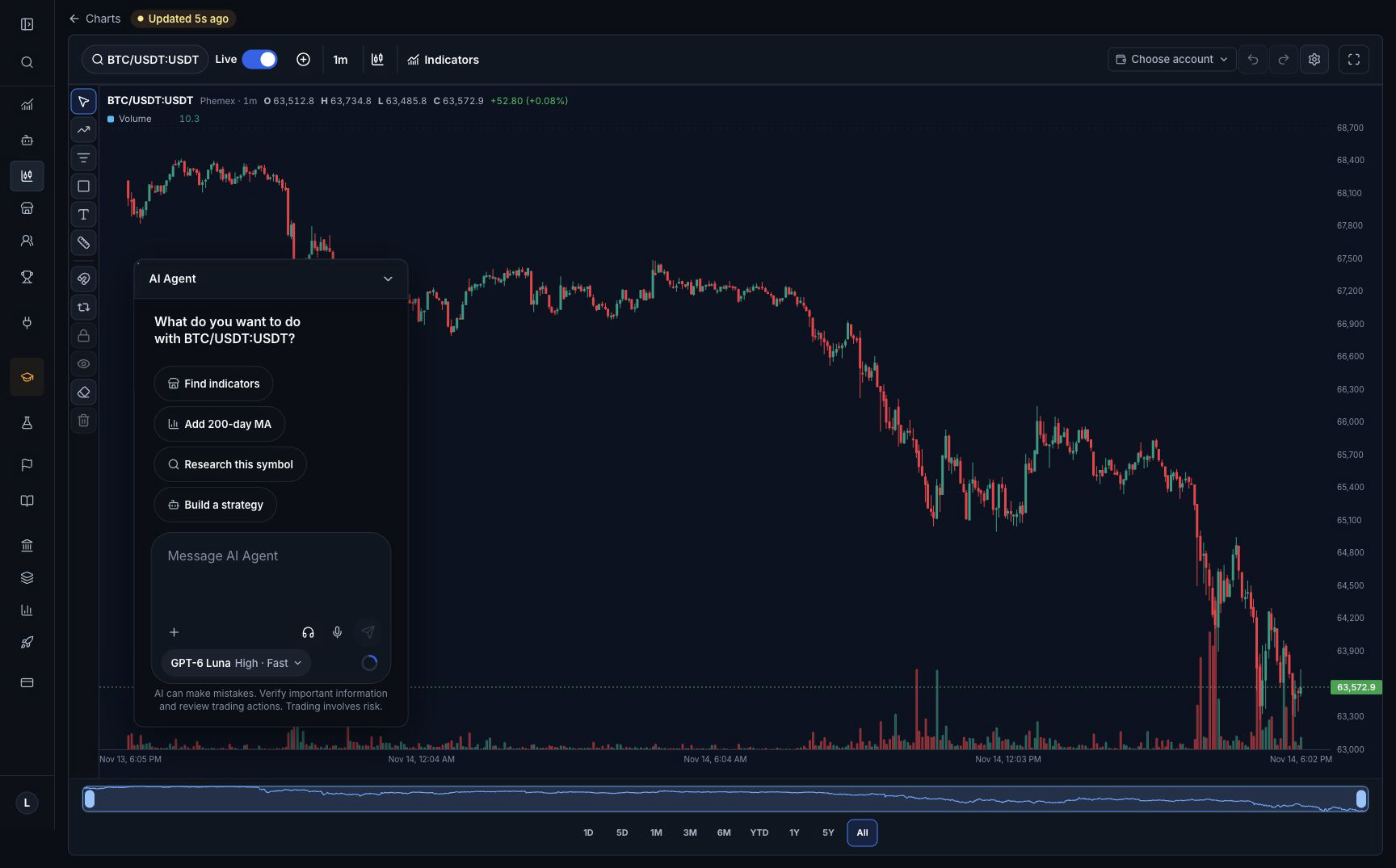
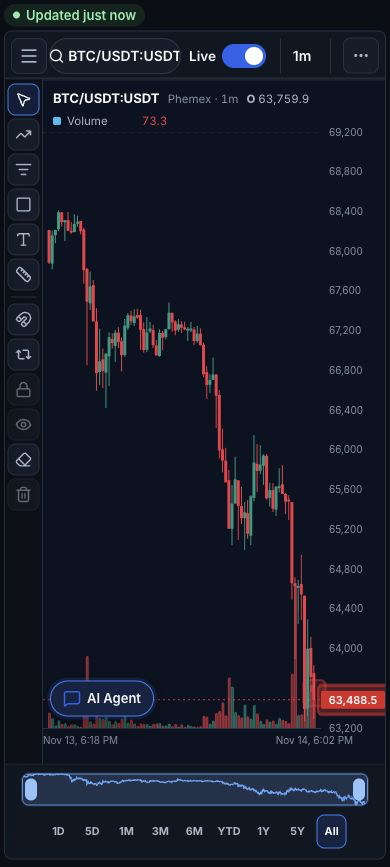
Previously: The chart chat panel could occupy too much height, and its resize controls were hard to grab.
Who benefits: People using chart chat on desktop or phone
Availability: Existing feature access and plan limits continue to apply.
Sending an Agent message uses the selected production funding. Viewing and resizing the panel does not place an order.
- Open Charts and select an instrument.
- Open AI Agent beside the chart.
- On desktop, drag the panel edge to resize it; on phone, minimize and reopen it.
Improvement
Clearer next steps and progress in AI chat
Chat offers useful starter buttons, clearer tool-step labels and placeholders while supported cards are being prepared.
Why it matters: See what is happening and choose a useful next step with less guesswork.
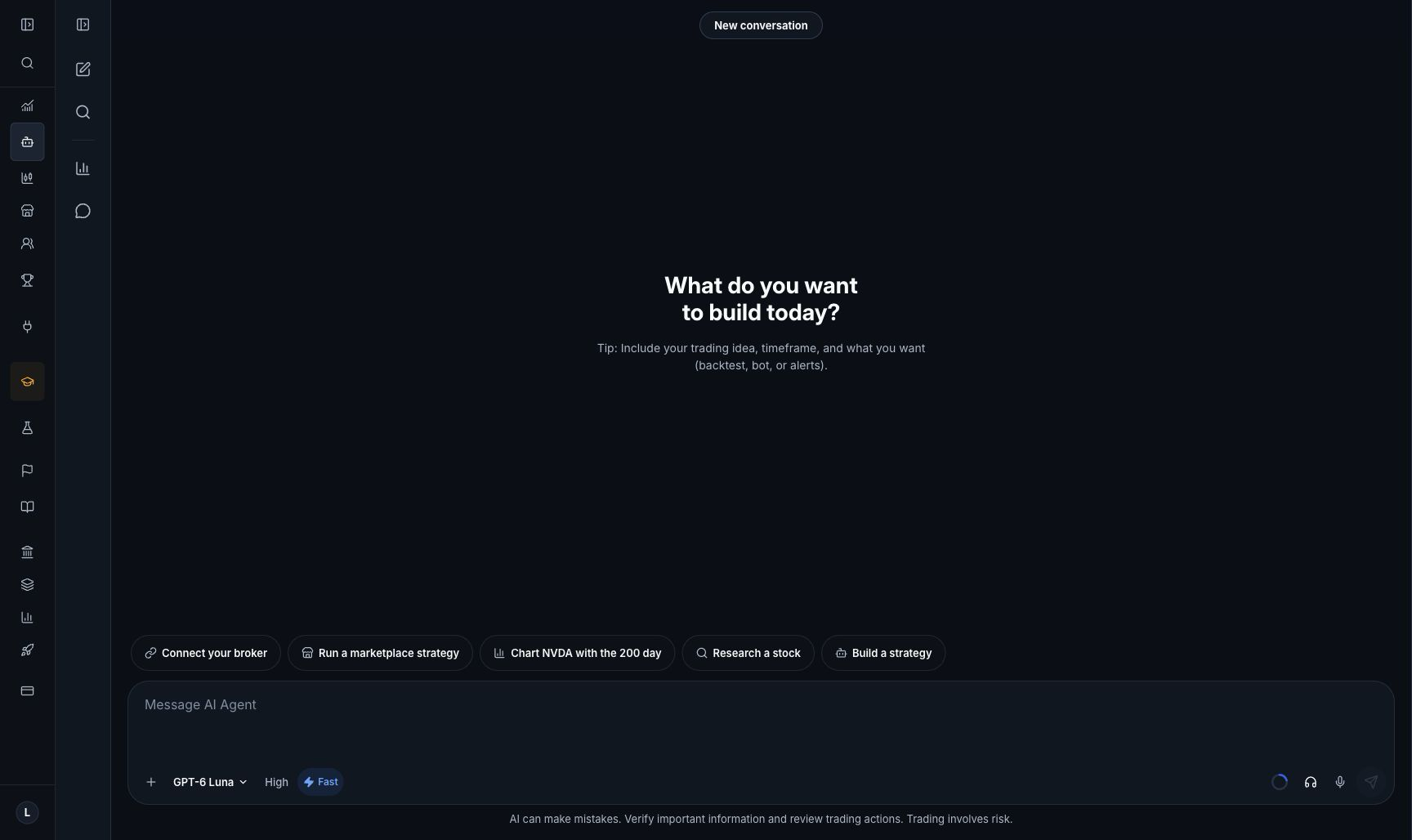
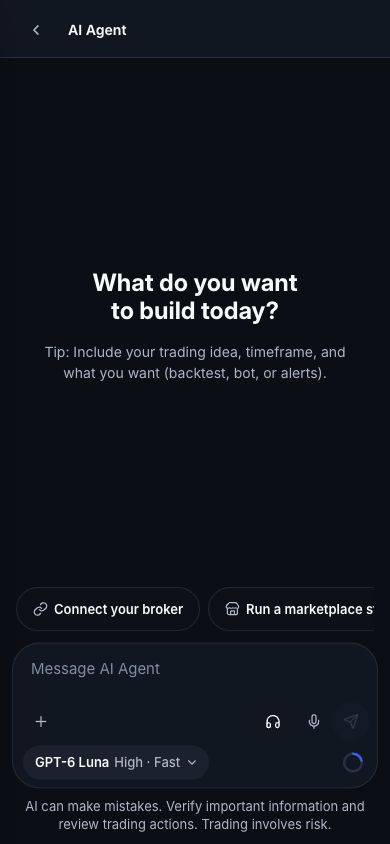
Previously: A short first answer could leave no clear next action, while slow tool work showed confusing activity labels.
Who benefits: Signed-in people using AI Agent
Availability: Existing feature access and plan limits continue to apply.
Results still depend on the selected model and connected services. Clicking a starter sends its displayed task; trades retain their separate approval.
- Open AI Agent.
- Review the starter choices and choose the task you want.
- Watch the step labels as the Agent works.
Fix
Understand when a chart or trade needs attention
Chart tools explicitly report unavailable data; quote and multi-leg trade errors explain the unsupported or missing input, and failed-search steps use customer-readable text.
Why it matters: Know what needs fixing before relying on a result or reviewing an order.
Previously: Unavailable chart data and some broker failures could produce confusing messages or misleading completion claims.
Who benefits: People requesting charts, research and trades
Availability: Existing feature access and plan limits continue to apply.
This improves reporting and supported retries; it does not make an unsupported broker order type available.
- Ask for the chart or research you need.
- If a step cannot finish, use its visible explanation to correct the request or connection.
Improvement
More reusable strategy-building and repair guidance
The Agent has updated shared strategy examples, build and rescue guidance, and saved-code checks for supported strategy work.
Why it matters: Spend less effort rebuilding common patterns and get clearer checks before a backtest.
Previously: Simple builds and edits could repeat setup work or fail to inspect the final saved strategy thoroughly.
Who benefits: People building or repairing strategies
Availability: Existing feature access and plan limits continue to apply.
A successful build or backtest does not guarantee that every trading rule is correct. Review the saved strategy, results and broker permissions before starting a bot.
- Describe the trading rules and the change you want.
- Review the saved strategy and its backtest results before starting a bot.
Improvement
Use public history for Auto crypto backtests
BotSpot Auto routes supported crypto and perpetual backtests to the existing keyless public-data capability.
Why it matters: Start supported historical tests without adding a data API key.
Previously: Auto data selection could unnecessarily require a broker data connection for supported crypto history.
Who benefits: People backtesting supported crypto markets
Availability: Existing feature access and plan limits continue to apply.
Provider instrument coverage and history availability still apply. This does not add a new exchange or change live-trading permissions.
- Open a crypto strategy and choose Auto for historical data.
- Run a backtest for a supported instrument and review the reported source.
Fix
Keep configured live-chart connections working
The existing chart connection path accepts its supported configured listener addresses and retains ownership and authentication checks.
Why it matters: Load charts through valid existing service connections.
Previously: Valid configured chart-server connections could be rejected by an overly narrow connection check.
Who benefits: People opening supported live charts
Availability: Existing feature access and plan limits continue to apply.
Market availability and broker/data permissions still apply.
- Open an existing chart.
- Confirm prices and the normal connection status load.
Fix
Keep trade approval results in view
The result remains focused and visible while its details load; an unsuccessful order stays clearly labeled as failed.
Why it matters: Read the actual order outcome without searching the conversation or mistaking failure for success.
Previously: A trade result inside chat could be scrolled out of view when the card finished updating.
Who benefits: People reviewing trade approvals in chat or on the approval page
Availability: Existing trade access and broker permissions continue to apply.
A visible approval result does not replace the broker order record. No new live trade was placed for release testing.
- Review a trade you choose to place through the normal approval flow.
- Read the result at the top of its approval card.